Tutorials & FAQs
Learn, Solve, and
Get the Most from PPFHIVE
Step-by-step video tutorials and FAQs to help you use Automotive Window Tint & PPF cutting pattern software with ease.
Popular Searches:
Install SoftwareDownload PatternsEdit PatternImport File
Video Tutorials
Watch step-by-step guides to learn how to use PPFHIVE.No tutorials found.
More Resources
Additional guides and documents to help you get started.Frequently Asked Questions
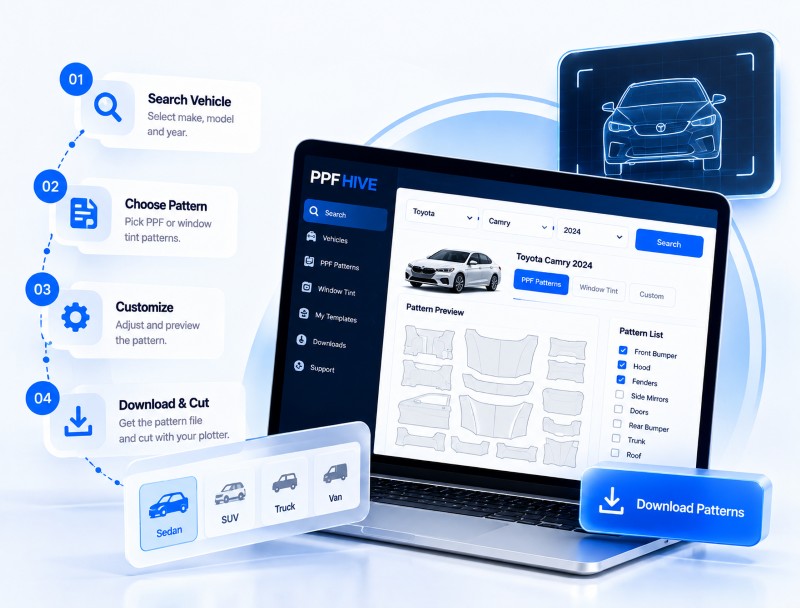
Find quick answers to common questions.PPFHive is Windows and Mac based software with a cloud database library of up-to-date patterns. It lets users select patterns for automotive window tint and PPF for their desired vehicle and send them directly to a plotter for cutting. It is designed to be one of the most user-friendly and accurate cutting software in the industry.
PPFHive helps you grow your business, become more productive and improve quality. Whether you run a single-person tint shop or a high-volume company, automation and less material wastage also reduce the risk of damaging vehicles from direct blade use.
PPFHive provides fully loaded pre-cut patterns for auto window tint and paint PPF, vehicle strips, decals, magnetic signs, text lettering, vehicle lettering, auto graphics and sticker making.
Yes, PPFHive guides users by explaining the selected tool and the next step, so mistakes are avoided.
Yes, you need to be online to open and authenticate PPFHive and to fetch the desired data from the database library.
Yes, PPFHive is available for both Windows computers and MacBook systems.
No, PPFHive is designed to be used only on Windows or Mac computers.
Windows: Windows 10 or newer, at least 16GB RAM, i5 processor or equivalent, monitor resolution of 1920x1200 or greater, and a USB port, serial port (RS232) or LAN. Mac: macOS 15 or higher, USB or LAN port, and monitor resolution of 1920x1200 or greater. Note: PPFHive may cause issues with older operating systems.
We cover over 80% of the most common cars and add new car data every week. If a car is missing, you can send us a request and we will add it to the library.
Yes, the software comes with both the window tint and PPF pattern libraries.
Yes. You can create your own designs or custom patterns and save them for future use. You can also share them with the PPFHive team and get paid or earn rewards for helping build the pattern library.
Yes. PPFHive offers editing features to reduce, increase or slice patterns so they are easier to install.
Our advanced nesting feature arranges the patterns to save as much material as possible.
Yes. PPFHive has one of the fastest smart nesting features, with very easy steps, and can save more than 30% of material.
Yes. PPFHive has full editing tools to create designs, and you can import PLT, SVG and DXF files to the canvas and cut them directly from your plotter.
Yes. PPFHive can import bitmap images and auto-trace them so you can cut directly from your plotter.
Yes. You can place as many patterns as you want on the canvas and cut them directly to the plotter.
Yes. PPFHive smart placement detects duplicates and avoids placing the same design twice on the cut canvas.
PPFHive works with most plotters. Its universal driver supports all plotters, and if you have any difficulty finding your plotter driver, our 24x7 support team can help you connect it.
Yes. PPFHive allows you to use multiple plotters with one software, as long as they are connected to the same computer.
Yes. We provide a fully functional trial version with the full tint and PPF database, so you can buy with confidence.
PPFHive comes with a standard monthly subscription and a yearly subscription, which saves you much more.
No questions found.
Still Need Help?
Our support team is here to assist you with any questions or technical issues.
Contact SupportLive SupportGet help when you need it
Email Supportsupport@ppfhive.com
Fast ResponseWe reply within 24 hours